
CSJMU Samarth Portal – Login, Registration, Admit Card & Examination Guide
Chhatrapati Shahu Ji Maharaj University (CSJMU), Kanpur — formerly Kanpur University — is a state university in Uttar Pradesh that uses the Samarth Portal as its official digital platform for student registration, admission, examination forms, admit cards, back paper applications, and academic records. This page covers everything students need to know about accessing and using CSJMU Samarth Portal, step by step.
What Is CSJMU Samarth Portal?
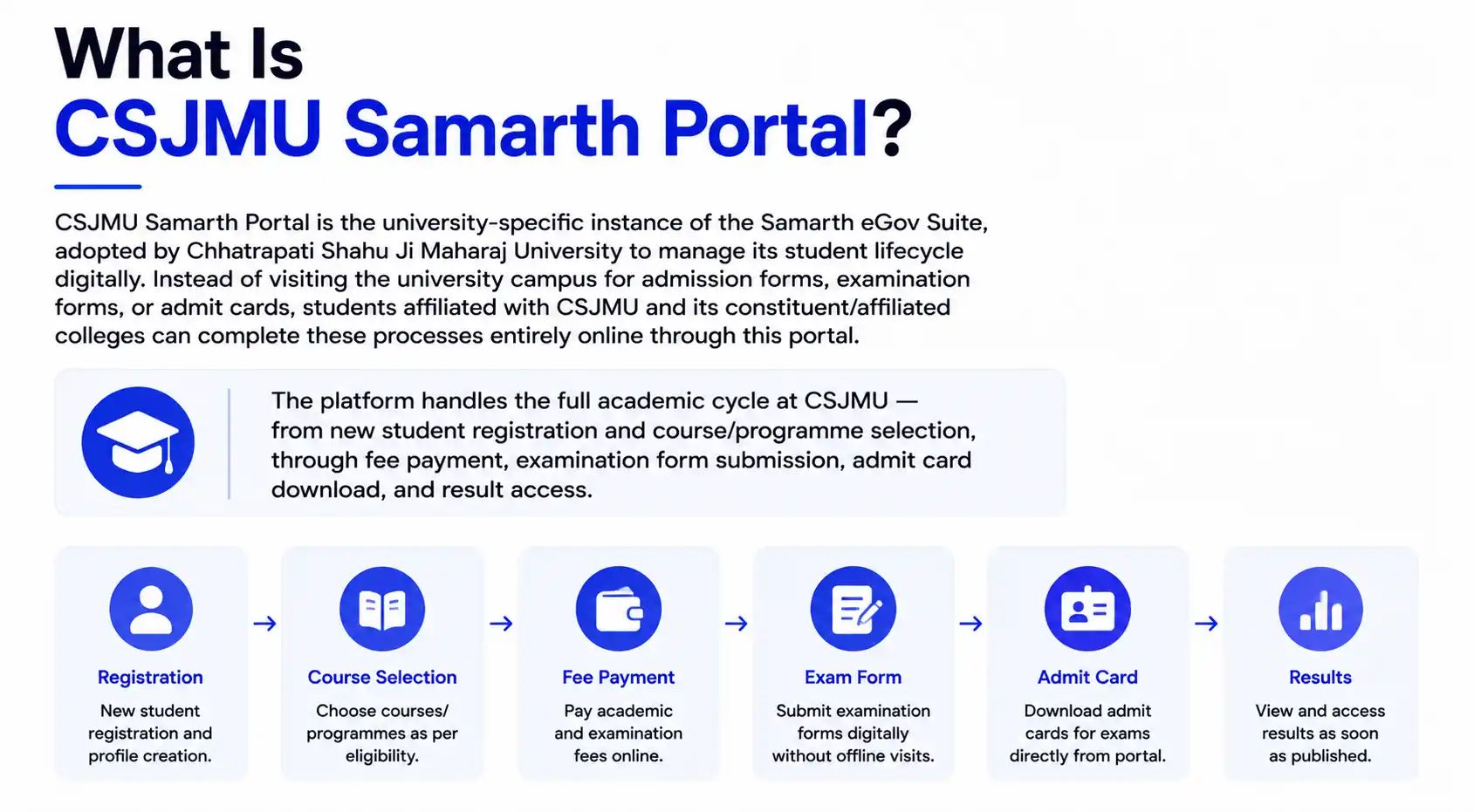
CSJMU Samarth Portal is the university-specific instance of the Samarth eGov Suite, adopted by Chhatrapati Shahu Ji Maharaj University to manage its student lifecycle digitally. Instead of visiting the university campus for admission forms, examination forms, or admit cards, students affiliated with CSJMU and its constituent/affiliated colleges can complete these processes entirely online through this portal.
The platform handles the full academic cycle at CSJMU — from new student registration and course/programme selection, through fee payment, examination form submission, admit card download, and result access.
CSJMU Samarth Portal Registration – Step by Step
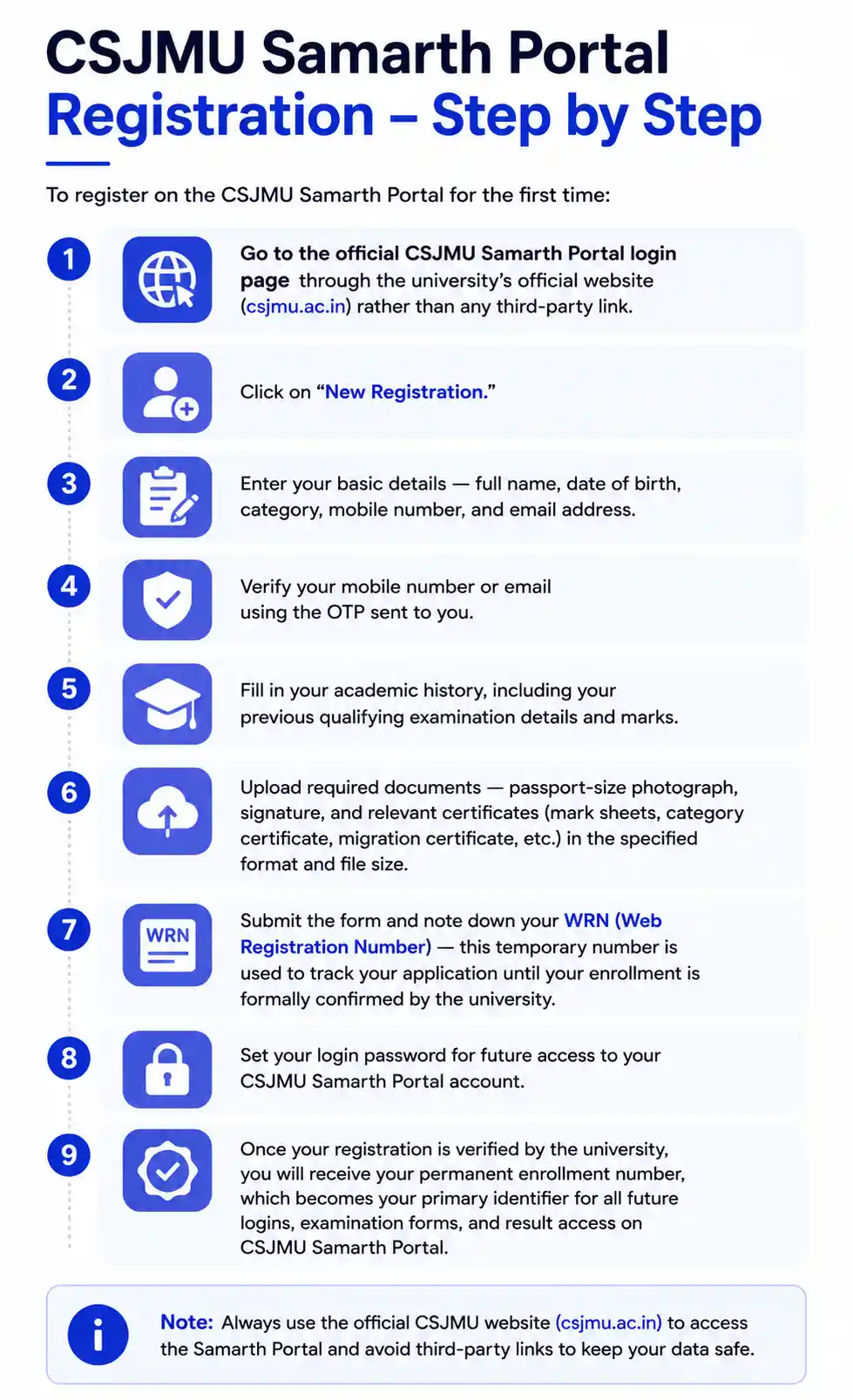
To register on the CSJMU Samarth Portal for the first time:
- Go to the official CSJMU Samarth Portal login page through the university’s official website (csjmu.ac.in) rather than any third-party link.
- Click on “New Registration.”
- Enter your basic details — full name, date of birth, category, mobile number, and email address.
- Verify your mobile number or email using the OTP sent to you.
- Fill in your academic history, including your previous qualifying examination details and marks.
- Upload required documents — passport-size photograph, signature, and relevant certificates (mark sheets, category certificate, migration certificate, etc.) in the specified format and file size.
- Submit the form and note down your WRN (Web Registration Number) — this temporary number is used to track your application until your enrollment is formally confirmed by the university.
- Set your login password for future access to your CSJMU Samarth Portal account.
Once your registration is verified by the university, you will receive your permanent enrollment number, which becomes your primary identifier for all future logins, examination forms, and result access on CSJMU Samarth Portal.
CSJMU Samarth Portal Login
If you already have a registered account:
- Visit the CSJMU Samarth Portal login page.
- Enter your registered username (email ID, WRN, or enrollment number, depending on your registration stage) and password.
- Complete the CAPTCHA verification.
- Click Login to access your student dashboard, where you can view your profile, examination status, admit card, and results.
If you’ve forgotten your password, use the “Forgot Password” option on the login page and follow the OTP-based reset process using your registered mobile number or email.
CSJMU Samarth Portal Admission Process
For new students applying to undergraduate or postgraduate programmes at CSJMU or its affiliated colleges:
- Register on the CSJMU Samarth Portal as described above.
- Complete your academic and personal profile.
- Select your desired programme and college/department preferences within the admission window announced by the university.
- Upload the required admission documents and pay the applicable admission fee online through the portal’s payment gateway.
- Track your admission/merit status directly from your Samarth Portal dashboard once the university publishes selection lists.
Admission deadlines and merit list schedules are set by CSJMU each academic session, so students should regularly check official notices on the university website alongside their Samarth Portal dashboard for updates.
CSJMU Samarth Portal Examination Form
Currently enrolled students use the same portal to fill their semester or annual examination form:
- Log in to your account.
- Navigate to the Examination section and select the relevant semester/year.
- Verify your subject/course details are correct before proceeding.
- Pay the examination fee online through the integrated payment gateway.
- Submit the form and download the acknowledgment receipt for your records.
If you notice an error in your submitted examination form (such as an incorrect subject combination or personal detail), check whether the correction window is still open — CSJMU typically allows a short correction period after the main submission deadline before the form is locked for processing.
CSJMU Samarth Portal Admit Card
Once the examination form is processed and approved, CSJMU releases admit cards (hall tickets) directly on the Samarth Portal ahead of the examination dates. To download your admit card:
- Log in to your account.
- Go to the Examination or Admit Card section.
- Select the relevant examination session.
- Download and print your admit card, and carefully verify your name, roll number, subject list, and examination centre details before your exam date.
Admit cards are usually made available a short period before the examination begins, so students should check their dashboard regularly during the exam season rather than waiting until the last day.
CSJMU Samarth Portal Back Paper Form
Students who need to reappear for a failed or improvement paper can submit their back paper form through the same portal:
- Log in to your account.
- Locate the Back Paper / Reappear section under Examinations.
- Select the specific paper(s) you need to reappear for.
- Pay the applicable back paper examination fee.
- Submit the form and save your acknowledgment slip.
Back paper form windows are announced separately from regular examination form dates, so always check current notices on the CSJMU website for the exact schedule each session.
CSJMU Samarth Portal Course Selection
Where CSJMU offers flexibility in subject or elective combinations (particularly under NEP-aligned programme structures), students can select their preferred courses directly from their Samarth Portal dashboard within the window opened by the university. It’s important to confirm course selections carefully, since changes after the deadline may require formal approval from the department or examination section.
CSJMU Samarth Portal Hostel and Fees Payment
Students residing in CSJMU hostels can access hostel-related information and, in many cases, pay hostel fees through the Samarth Portal’s fee payment module, alongside tuition and examination fees. All fee payments — admission, examination, back paper, or hostel — are processed through the portal’s secure online payment gateway, with a digital receipt generated after each successful transaction.
CSJMU Samarth Portal ABC ID
As part of the Academic Bank of Credits (ABC) system under NEP 2020, CSJMU Samarth Portal allows eligible students to link their ABC ID to their university profile. This enables seamless academic credit tracking and transfer if a student later moves to another institution or pursues a multiple entry-exit academic pathway. Students can typically link or verify their ABC ID from the profile settings section of their dashboard.
LMS CSJMU Samarth Portal
It’s worth clarifying that LMS CSJMU (Learning Management System) is a separate module from the main CSJMU Samarth Portal used for admissions and examinations. While Samarth Portal handles registration, examination forms, admit cards, and results, the LMS is generally used for accessing course content, study material, and online classes. Depending on the department, students may need to log in to both systems separately using their university-issued credentials.
CSJMU Samarth Portal Last Date
The last date for registration, admission, examination form, and back paper form submission is announced separately for every academic session (for example, 2025 or 2026) — there is no single fixed date that applies every year. CSJMU typically publishes these deadlines as official notices on its website and links them directly from the Samarth Portal login page. If you miss a deadline, check for a late-fee submission window before assuming the process is closed, and confirm the exact current-session date with your college’s examination cell rather than relying on outdated information found elsewhere online.
IMS CSJMU vs CSJMU Samarth Portal
Students sometimes search for “IMS CSJMU” alongside Samarth Portal. It’s worth clarifying that the Institute of Management Studies (IMS), CSJMU is a specific academic department/institute within the university — distinct from the Samarth Portal itself. Students enrolled in IMS programmes use the same central CSJMU Samarth Portal for registration, examination forms, and admit cards as students in any other department; “IMS” refers to the institute/department, not a separate technology platform.
CSJMU Samarth Portal Helpline
If you face persistent issues on CSJMU Samarth Portal — such as login errors, payment discrepancies, or document upload failures — the fastest resolution path is to contact your college’s examination cell or the university’s official helpdesk, since third-party sites cannot access or modify your account. Always check the official CSJMU website for the current helpline number and support email, as these details can change between academic sessions.