
MJPRU Samarth Portal – Login, Registration, Admission & Examination Form Guide
Mahatma Jyotiba Phule Rohilkhand University (MJPRU), Bareilly — a State University in Uttar Pradesh — uses the Samarth eGov Suite for student registration, admission, and academic services. This page covers everything about MJPRU Samarth Portal, including login, registration, admission for UG/PG/diploma/professional programmes, examination forms, and how it connects to the university’s separate examination system.
What Is MJPRU Samarth Portal?
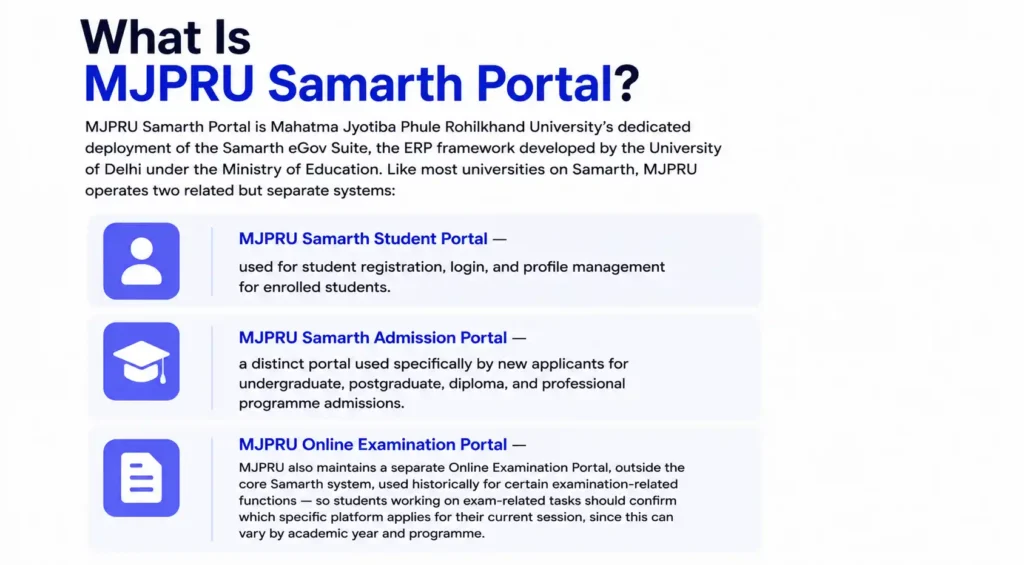
MJPRU Samarth Portal is Mahatma Jyotiba Phule Rohilkhand University’s dedicated deployment of the Samarth eGov Suite, the ERP framework developed by the University of Delhi under the Ministry of Education. Like most universities on Samarth, MJPRU operates two related but separate systems:
- MJPRU Samarth Student Portal — used for student registration, login, and profile management for enrolled students.
- MJPRU Samarth Admission Portal — a distinct portal used specifically by new applicants for undergraduate, postgraduate, diploma, and professional programme admissions.
MJPRU also maintains a separate Online Examination Portal, outside the core Samarth system, used historically for certain examination-related functions — so students working on exam-related tasks should confirm which specific platform applies for their current session, since this can vary by academic year and programme.
MJPRU Samarth Portal Login
To log in to your MJPRU Samarth Student Portal account:
- Visit the official MJPRU Samarth Student Portal, linked from the university’s official website (mjpru.ac.in).
- Click Sign In.
- Enter your registered username (email or enrollment number) and password.
- Complete the CAPTCHA if prompted, and click Login.
If this is your very first login, look for the First Time Login option, which may guide you through initial account setup separately from the standard sign-in flow. If you’ve forgotten your password, use Reset Password on the login page instead.
MJPRU Samarth Portal Registration
New students register on the MJPRU Samarth Student Portal as follows:
- Go to the official MJPRU Samarth Student Portal and open the Student Registration Form.
- Enter your personal details — full name, date of birth, category, mobile number, and email address.
- Verify your mobile number or email through OTP.
- Fill in your academic history, including your previous qualifying examination details.
- Upload the required documents (photograph, signature, mark sheets, category certificate if applicable) in the specified format.
- Submit the form and set your account password for future logins.
After registration, your details are verified by the university before your enrollment is confirmed and full portal access, including examination form submission, is unlocked.
MJPRU Samarth Portal Admission (UG, PG, Diploma & Professional Programmes)
MJPRU’s dedicated Samarth admission portal serves as a unified platform for applicants exploring undergraduate, postgraduate, diploma, and professional programmes offered by the university and its affiliated colleges. A few important points specific to MJPRU’s admission process:
- Visit the official MJPRU Samarth Admission Portal for the current academic cycle.
- You can only log in to the admission portal using your registered email address — MJPRU explicitly restricts login to email-based access for applicants, so make sure you use a functional, actively-monitored email you’ll have access to throughout the entire admission process.
- Enter your personal and educational details. Importantly, your name and other details must exactly match your Class XII Board Marksheet, since mismatches can cause processing delays or complications later in the admission cycle.
- Upload required documents and complete your application, using the latest version of Google Chrome for the best compatibility, as recommended by MJPRU.
- Double-check all details carefully before clicking final submit, since corrections after submission may not be straightforward.
- Pay the application fee securely online.
- Track your application status, document verification, merit list release, and seat allotment in real time directly from your admission portal dashboard, which shows clear status indicators for any action required from you.
If you need help during the admission process, MJPRU’s support team is available Monday to Saturday, 9 AM to 6 PM IST, reachable through the official contact details published on the admission portal.
MJPRU Samarth Portal Examination Form
Currently enrolled MJPRU students use the Samarth Student Portal (or, depending on the current academic session, the university’s separate examination portal) to submit their examination form:
- Log in to your MJPRU account on the applicable portal for the current session.
- Navigate to the Examination section and select your semester/annual exam cycle.
- Verify your registered subjects and course details are correct.
- Pay the examination fee online through the integrated payment gateway.
- Submit the form and save your acknowledgment receipt for your records.
Because MJPRU has historically operated a separate, dedicated examination portal alongside its core Samarth deployment, always check the university’s current official notice to confirm exactly which platform is being used for examination form submission and admit card release in your specific session.
MJPRU Samarth Portal Admit Card
Once your examination form is processed, MJPRU releases admit cards (hall tickets) ahead of the exam dates:
- Log in to the relevant MJPRU portal for your current examination cycle (Samarth Student Portal or the university’s examination-specific system, as applicable).
- Go to the Examination or Admit Card section.
- Select your exam session and download your admit card.
- Carefully verify your name, roll number, subjects, and exam centre before your exam date.
MJPRU Samarth Portal Result
Results are published once finalized by the examination department. Log in to the applicable portal, go to the Results section, and download your marksheet or grade card for your records. Result declaration timelines vary by semester and programme, so check MJPRU’s official notice board for the current schedule rather than assuming a fixed date each year.
MJPRU Samarth Portal – Admission Enrollment Number
Once your admission is confirmed, MJPRU issues your permanent enrollment number, which becomes your primary identifier for all future logins, examination forms, and result access. Until this is issued, applicants track their application using the reference number generated during initial admission portal registration.
MJPRU’s Affiliated Colleges Network
As a State University, MJPRU affiliates a wide network of degree colleges across Bareilly and the surrounding Rohilkhand region of Uttar Pradesh, offering undergraduate and postgraduate programmes across arts, science, commerce, and professional streams. While the university directly manages certain postgraduate and specialized departments, most undergraduate students study at these affiliated colleges. Day-to-day academic activities like attendance and internal assessments typically happen at the college level, while admission verification, examination form processing, admit card release, and final results are handled centrally through MJPRU’s university-level Samarth systems. If you’re studying at an affiliated college and face an issue that seems specific to your institution (such as internal marks not appearing), check with your college office first, since some data entry responsibilities are shared between the college and the university.
Troubleshooting MJPRU Samarth Portal
- Can’t log in to the admission portal: Remember MJPRU only permits email-based login for the admission portal — using an enrollment number or any other identifier won’t work at the application stage.
- Application rejected or flagged for mismatch: This usually happens when entered details don’t exactly match your Class XII Board Marksheet — double-check spelling, date formats, and other fields carefully.
- Payment deducted but not reflected: Avoid paying again immediately; wait for standard reconciliation and contact MJPRU’s support team with your transaction details if the issue persists.
- Browser compatibility issues: MJPRU specifically recommends using the latest version of Google Chrome for filling out application forms, so switch browsers if you’re experiencing display or submission errors.