
Samarth Portal Registration – New Registration, Documents & Last Date Guide
This page covers everything about Samarth Portal registration — the very first step every student must complete before they can log in, select courses, or submit examination forms. Whether you’re registering for the first time, checking the registration deadline, or looking for state or university-specific registration steps, you’ll find it here.
What Is Samarth Portal Registration?
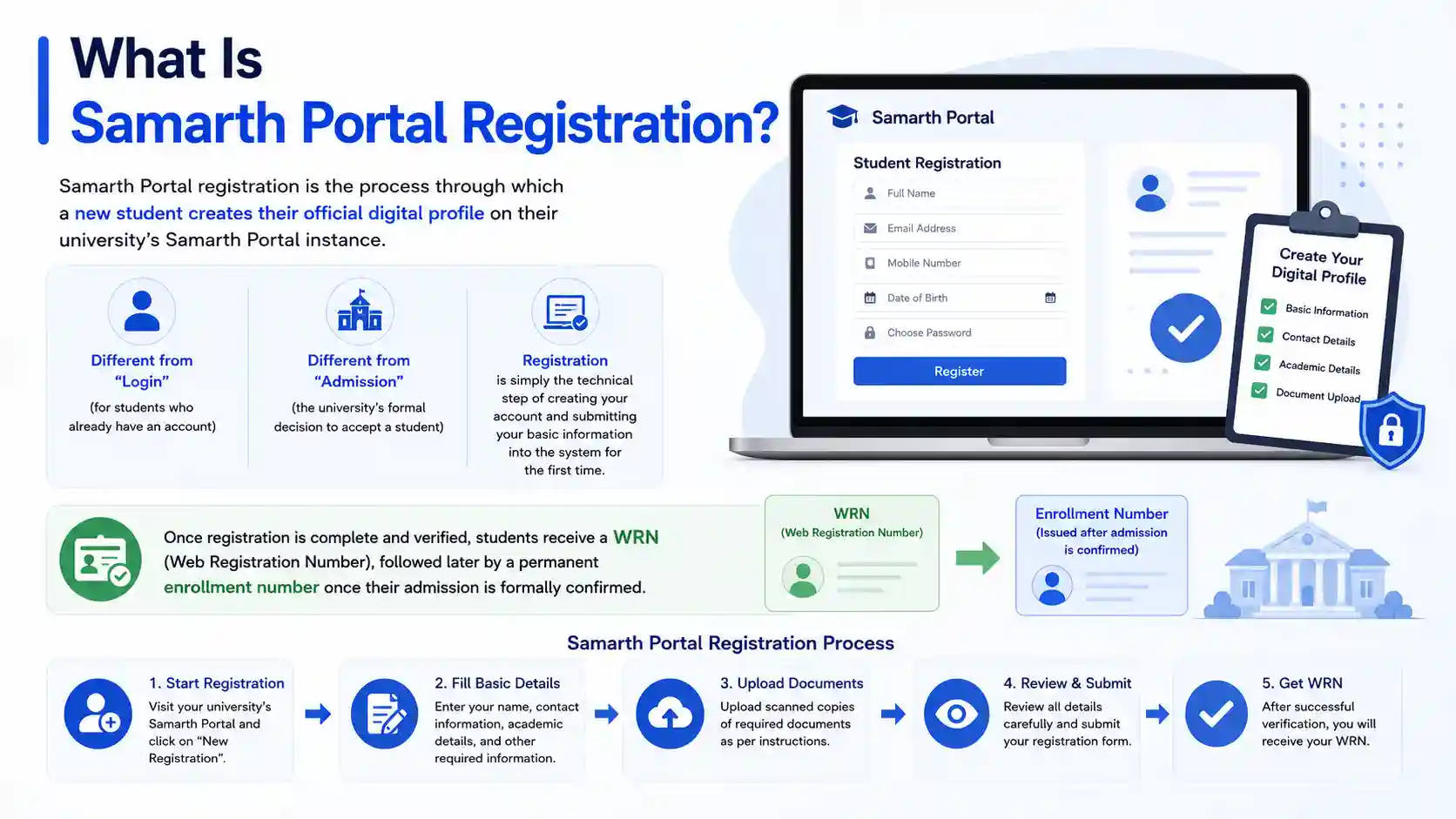
Samarth Portal registration is the process through which a new student creates their official digital profile on their university’s Samarth Portal instance. This is different from “login” (which is for students who already have an account) and different from “admission” (the university’s formal decision to accept a student) — registration is simply the technical step of creating your account and submitting your basic information into the system for the first time.
Once registration is complete and verified, students receive a WRN (Web Registration Number), followed later by a permanent enrollment number once their admission is formally confirmed.
How to Register on Samarth Portal – Step by Step
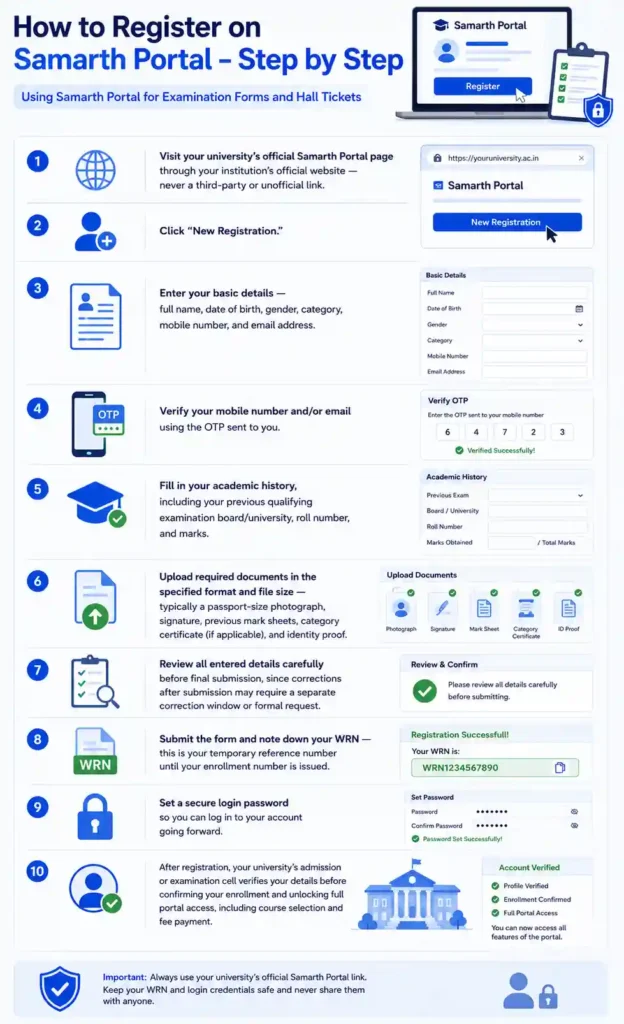
- Visit your university’s official Samarth Portal page through your institution’s official website — never a third-party or unofficial link.
- Click “New Registration.”
- Enter your basic details — full name, date of birth, gender, category, mobile number, and email address.
- Verify your mobile number and/or email using the OTP sent to you.
- Fill in your academic history, including your previous qualifying examination board/university, roll number, and marks.
- Upload required documents in the specified format and file size — typically a passport-size photograph, signature, previous mark sheets, category certificate (if applicable), and identity proof.
- Review all entered details carefully before final submission, since corrections after submission may require a separate correction window or formal request.
- Submit the form and note down your WRN — this is your temporary reference number until your enrollment number is issued.
- Set a secure login password so you can log in to your account going forward.
After registration, your university’s admission or examination cell verifies your details before confirming your enrollment and unlocking full portal access, including course selection and fee payment.
New Registration vs. Re-Registration on Samarth Portal
- New Registration applies to students accessing Samarth Portal for the first time — typically incoming first-year or newly admitted students.
- Re-Registration may apply to continuing students in specific cases, such as switching programmes, returning after a gap year, or when a university migrates to a new Samarth Portal instance and requires existing students to re-register their profile.
If you’re unsure which applies to you, check your university’s official notice, since re-registration requirements vary significantly between institutions.
Documents Required for Samarth Portal Registration
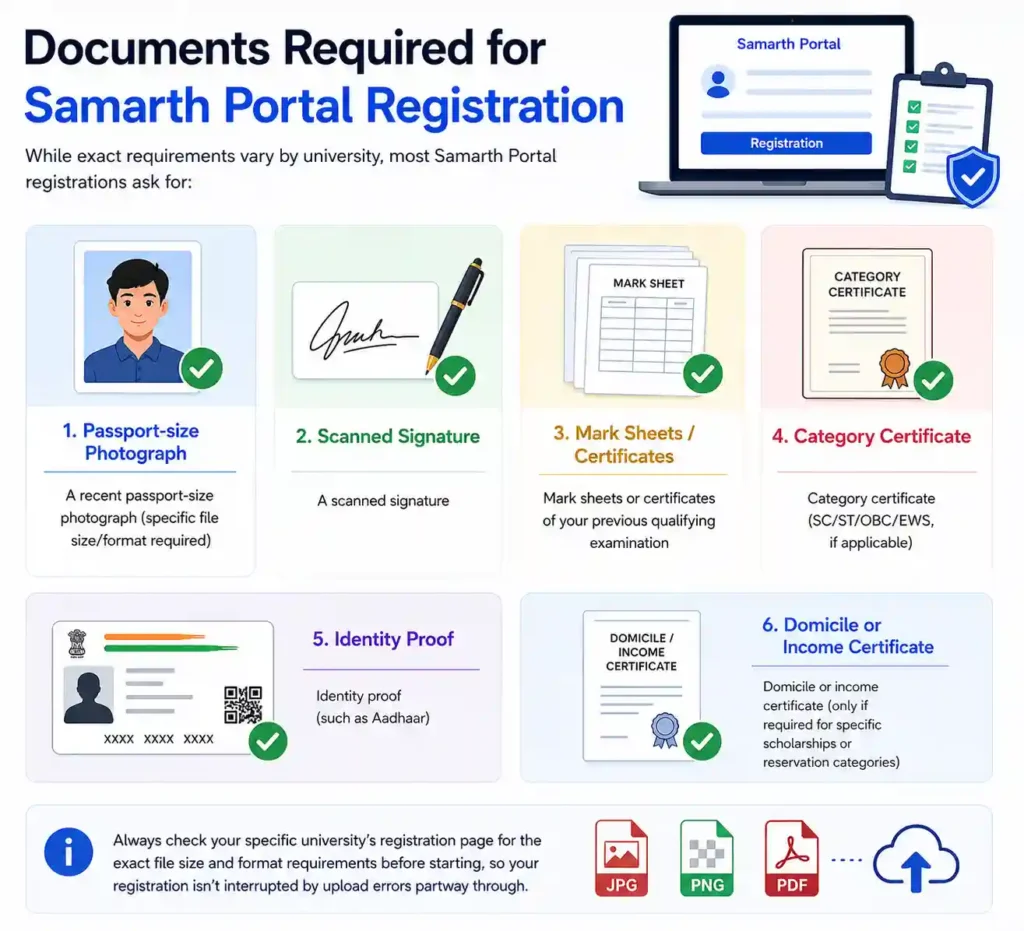
While exact requirements vary by university, most Samarth Portal registrations ask for:
- A recent passport-size photograph (specific file size/format required)
- A scanned signature
- Mark sheets or certificates of your previous qualifying examination
- Category certificate (SC/ST/OBC/EWS, if applicable)
- Identity proof (such as Aadhaar)
- Domicile or income certificate (only if required for specific scholarships or reservation categories)
Always check your specific university’s registration page for the exact file size and format requirements before starting, so your registration isn’t interrupted by upload errors partway through.
Samarth Portal Registration Last Date
There is no single, universal last date for Samarth Portal registration — each university sets its own registration window for every academic session (2024, 2025, 2026, and beyond), and these dates are published as official notices on the university’s website. If you’ve missed the regular registration deadline, check whether your university has opened a late registration window (often with an additional late fee) before assuming the process is fully closed. For the most accurate, current-session deadline, always refer to your specific university’s official notice board rather than generic dates found elsewhere online.
Course Registration on Samarth Portal
Separate from initial account registration, many universities also use Samarth Portal for course/subject registration each semester — where continuing students confirm their major, minor, and elective subject choices for the upcoming term. This is typically done after logging in (not through “New Registration”) and is usually opened within a specific window announced at the start of each semester.
Samarth Portal Registration by State
- Uttar Pradesh (UP): UP state universities — including DBRAU, LU, CCSU, and others — each run independent registration pages under their own Samarth Portal instance, with registration windows announced separately by each institution.
- Uttarakhand: Universities in Uttarakhand set their own registration schedules, generally aligned with the state’s academic calendar.
- Assam: Guwahati University and other Assam institutions open registration windows that are announced through the state’s Directorate of Higher Education alongside individual university notices.
- Jammu & Kashmir (J&K): J&K universities manage their own registration timelines, generally tied to their specific admission cycles.
- Bihar, Goa, Tripura, and Maharashtra: State universities in these regions have also adopted Samarth Portal-based registration, with dates set independently per institution.
University-Wise Samarth Portal Registration
Registration is handled independently by each institution’s own Samarth Portal instance. Universities where students commonly search for registration guidance include: Dr. Bhimrao Ambedkar University, Agra (DBRAU), UP Rajarshi Tandon Open University (UPRTOU), Jannayak Chandrashekhar University (JNCU), Siddharth University, Purnea University, Raja Mahendra Pratap Singh State University (RMPSSU/RMPSU/RMPU), Maharaja Suheldev State University (MSDU), Central University of Rajasthan (CURAJ), Guwahati University, Gurugram University, Agra University, Lucknow University (LU), Chaudhary Charan Singh University (CCSU), Dr. Shakuntala Misra National Rehabilitation University (DSMNRU), Deen Dayal Upadhyaya Gorakhpur University (DDUGU), National Forensic Sciences University (NFSU), Central University of Tamil Nadu (CUTN), Bundelkhand University, Jhansi (Bujhansi), Hemwati Nandan Bahuguna Garhwal University (HNB), North Eastern Hill University (NEHU), Prof. Rajendra Singh (Rajju Bhaiya) University, Sridev Suman University, Dr. Ram Manohar Lohia Avadh University, Bodoland University, and Rajiv Gandhi University (RGU).
ABC ID and WRN During Registration
- WRN (Web Registration Number): Automatically generated the moment you complete and submit the registration form. Use this number to track your application status and log back in until your permanent enrollment number is issued.
- ABC ID (Academic Bank of Credits): Some universities now allow students to link their ABC ID during or shortly after registration, supporting NEP 2020’s academic credit transfer framework. This is usually an additional step within your profile settings rather than a separate registration process.
Registration Fees
Some universities charge a nominal, one-time registration fee at the time of Samarth Portal registration, separate from tuition or examination fees, payable directly through the portal’s integrated payment gateway. Not all institutions charge this fee — check your specific university’s registration instructions to confirm whether a payment step applies to you.
Jan Samarth Portal Registration (A Separate Process)
If you’re specifically trying to register on Jan Samarth Portal for a government loan scheme (such as an education loan), note that this is an entirely separate registration process from your university’s Samarth Portal. Jan Samarth Portal registration is done through the national loan platform and typically requires selecting your preferred lending bank (such as SBI or another partner bank) as part of the sign-up process. Don’t confuse this with your university’s student registration — they are unrelated systems serving different purposes.