
DU Samarth Portal – Login, SOL, PG Admission & Employee Portal Guide
The University of Delhi (DU) doesn’t just use Samarth Portal — it’s the institution that designed and developed the entire Samarth eGov Suite as an initiative under the Ministry of Education. This page explains how DU Samarth Portal is structured, the different sub-portals for regular students, School of Open Learning (SOL) students, and employees, plus how to log in, register, check results, and access examination-related services.
What Is DU Samarth Portal?
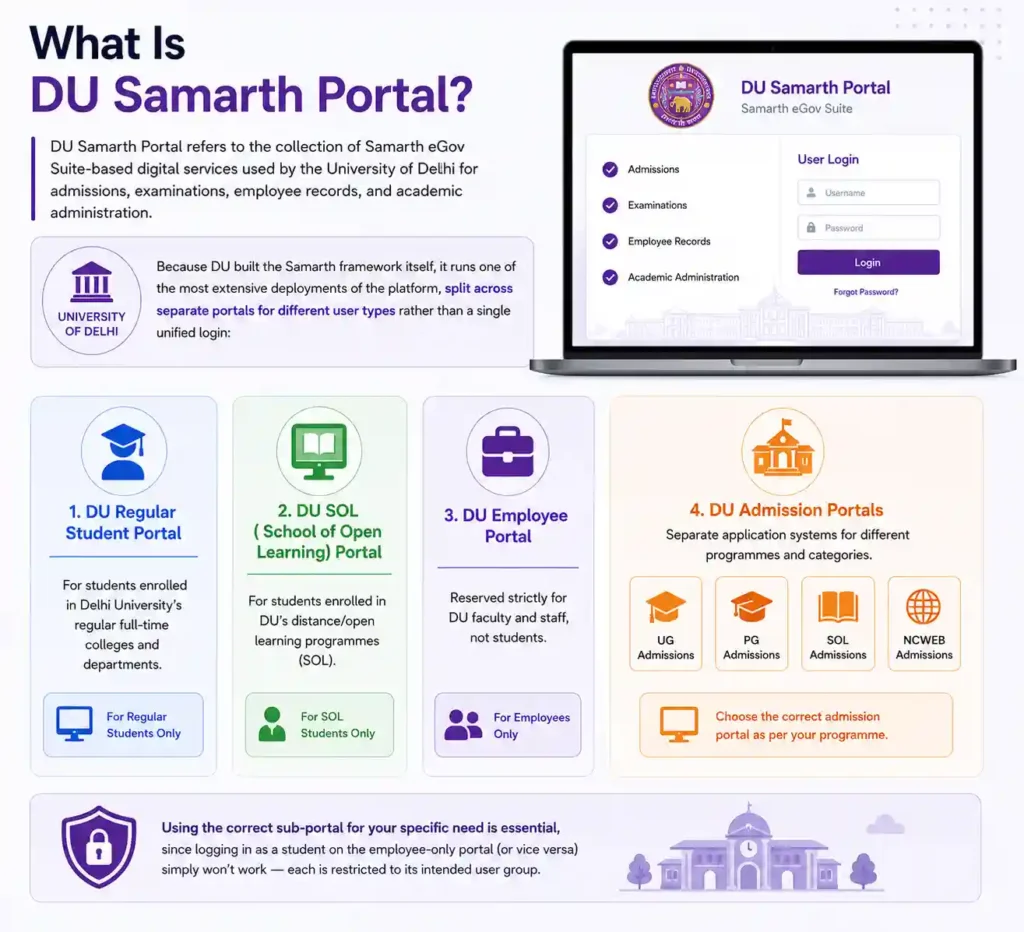
DU Samarth Portal refers to the collection of Samarth eGov Suite-based digital services used by the University of Delhi for admissions, examinations, employee records, and academic administration. Because DU built the Samarth framework itself, it runs one of the most extensive deployments of the platform, split across separate portals for different user types rather than a single unified login:
- DU Regular Student Portal — for students enrolled in DU’s regular full-time colleges and departments.
- DU SOL (School of Open Learning) Portal — for students enrolled in DU’s distance/open learning programmes.
- DU Employee Portal — reserved strictly for DU faculty and staff, not students.
- DU Admission Portals — separate application systems for UG, PG, SOL, and NCWEB admissions.
Using the correct sub-portal for your specific need is essential, since logging in as a student on the employee-only portal (or vice versa) simply won’t work — each is restricted to its intended user group.
DU Samarth Portal Login
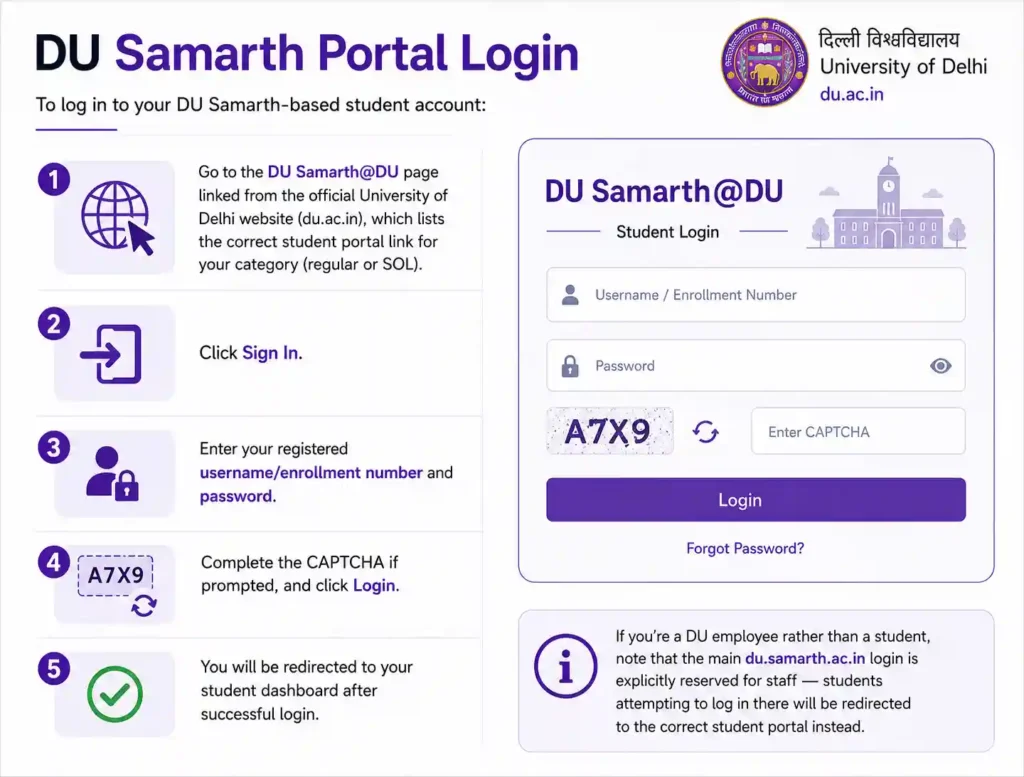
To log in to your DU Samarth-based student account:
- Go to the DU Samarth@DU page linked from the official University of Delhi website (du.ac.in), which lists the correct student portal link for your category (regular or SOL).
- Click Sign In.
- Enter your registered username/enrollment number and password.
- Complete the CAPTCHA if prompted, and click Login.
If you’re a DU employee rather than a student, note that the main du.samarth.ac.in login is explicitly reserved for staff — students attempting to log in there will be redirected to the correct student portal instead.
DU Samarth Portal Registration
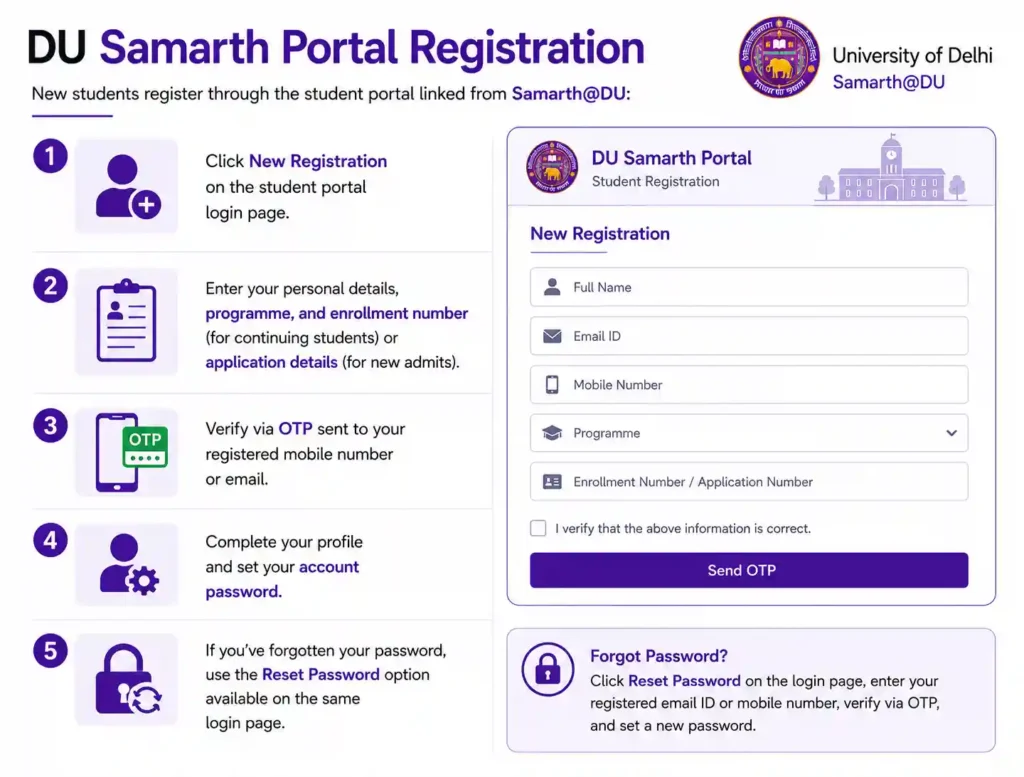
New students register through the student portal linked from Samarth@DU:
- Click New Registration on the student portal login page.
- Enter your personal details, programme, and enrollment number (for continuing students) or application details (for new admits).
- Verify via OTP sent to your registered mobile number or email.
- Complete your profile and set your account password.
If you’ve forgotten your password, use the Reset Password option available on the same login page.
DU Samarth Portal for UG Admission
Undergraduate admission to DU’s regular colleges is based on CUET (UG) scores. Candidates apply through DU’s centralized admission system (linked from the university’s official admission page), select their preferred colleges and programmes, and track their allotment status once merit lists are released. Regular UG admission is separate from the SOL and NCWEB admission processes described below.
DU SOL Samarth Portal (UG & PG)
The School of Open Learning (SOL) operates its own dedicated Samarth-based admission and student portals, separate from DU’s regular college system:
- SOL UG Admission — for undergraduate distance-learning applicants.
- SOL PG Admission — a separate application link for postgraduate distance-learning applicants.
- SOL Student Login (soldu.samarth.ac.in) — used by already-enrolled SOL students for ongoing academic services once admission is confirmed.
SOL admissions generally follow UGCF (Undergraduate Curriculum Framework) guidelines aligned with NEP 2020, with the same core curriculum as DU’s regular programmes but delivered through open/distance learning.
DU NCWEB Admission (Non-Collegiate Women’s Education Board)
DU’s Non-Collegiate Women’s Education Board (NCWEB) — offering undergraduate programmes exclusively for women — runs its own separate admission portal, distinct from both the regular college admission system and the SOL admission portals. If you’re applying through NCWEB, make sure you’re using the correct NCWEB-specific admission link rather than the general SOL or regular UG portals, since they process entirely separate applications.
DU Samarth Portal for PG Admission
Postgraduate admission at DU (for regular departments/colleges) is based on CUET (PG) scores, processed through DU’s centralized PG admission system. As with UG admissions, PG applicants should confirm whether they’re applying to a regular DU department/college or to SOL’s separate PG programme, since these use different application portals.
DU Samarth Portal – Examination, Internal Assessment, and Results
Once enrolled, DU students use their student portal login to access:
- Internal Assessment (IA) and Tutorial (TU) marks — DU has enabled students to view their IA and TU marks directly through the Samarth-based student portal, reducing dependence on individual departments for this information.
- Examination forms — submitted online each semester/annual cycle through the student portal.
- Admit cards — released ahead of examinations for download from the same dashboard.
- Results — published on the portal once finalized, with downloadable marksheets/grade cards.
DU OBE (Open Book Examination) and Samarth Portal
During certain examination cycles, DU has conducted Open Book Examinations (OBE), where students access question papers and submit answer scripts online rather than sitting a traditional in-person exam. Depending on the academic session, this process may be routed through the Samarth-based student portal or a separate OBE-specific system — always check current DU examination notices to confirm which platform applies for your specific exam cycle, since this has varied across sessions.
DU Samarth Portal for Employees and Recruitment
Beyond students, DU also uses its Samarth deployment for staff and faculty administrative functions, and publishes recruitment advertisements (such as postings for Assistant Professor, Associate Professor, and Professor positions across departments) through its official Samarth@DU page. If you’re a DU employee, use the dedicated employee portal login rather than the student portal — the two are strictly separated and do not share credentials.